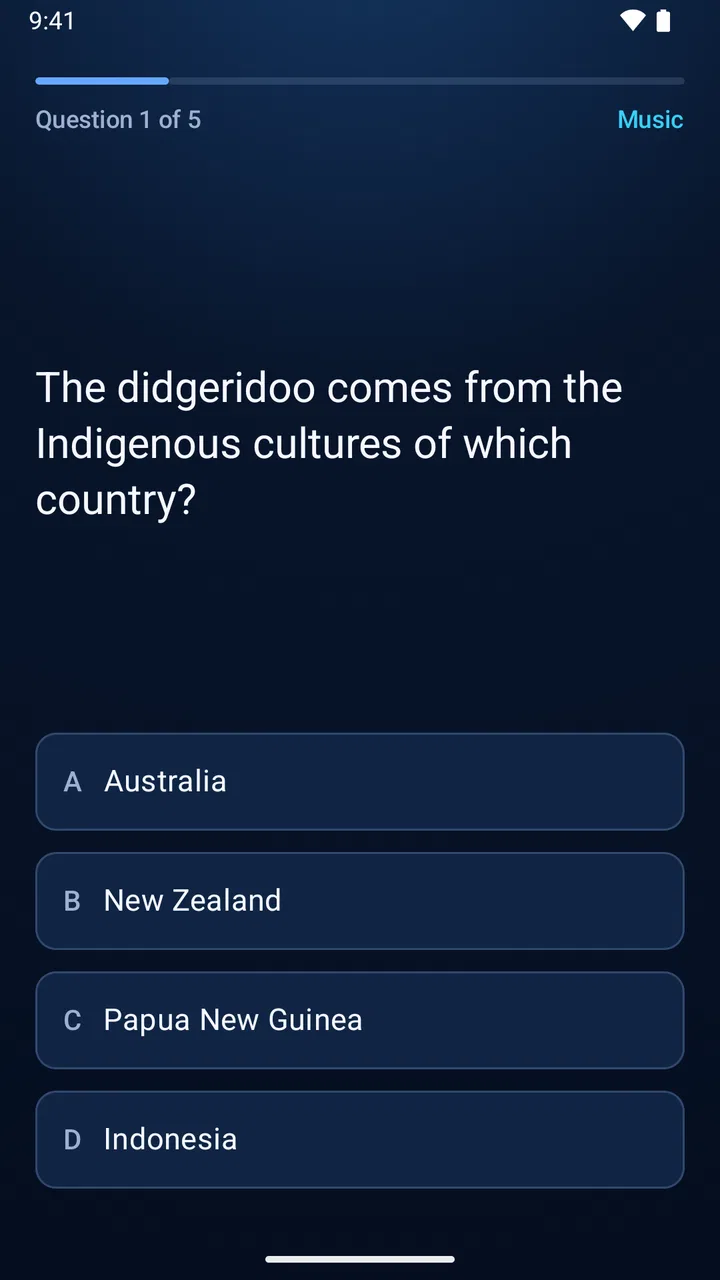
Couch Trivia Quiz party game
- 4.4
- Rating
- 50.00K
- Installs
- Free
- Price

 Analysis by App-foxy
I tried Couch Trivia Quiz as the kind of game you bring out when everyone is already sitting together and nobody wants to pass around a console controller. It is a free trivia game from Roy Solberg, built around a simple idea: the television acts as the shared screen while each player joins through a phone browser. That setup makes it feel closer to a living-room quiz night than to a conventional mobile game.
My first impression was that the game understands its setting well. A phone is usually a private screen, but here it becomes a personal answer device while the group looks toward the TV. That small change matters. It keeps the questions visible to everyone, avoids the awkwardness of one person holding the main device, and makes the game suitable for a sofa, a family room, or a casual gathering where people want to compete without learning complicated controls.
The game is listed as a free trivia title for Everyone, and it has reached over ten thousand installs with an average rating of 4.3 from around one hundred ratings. Those figures suggest a modest but positive audience rather than a huge mainstream hit. I would approach it as a focused party tool, not as a deep solo trivia platform with a large progression ecosystem.
You May Also Like

 AccuWeather: Weather Radar
AccuWeather Review: A Quick, Clear Forecast for Everyday Decisions
For everyday plans, the best forecast is the one you can understand quickly. AccuWeather makes rain timing, radar, and local conditions easy to act on, with a few trade-offs.

 Hill Climb Racing
Why Hill Climb Racing Still Turns Crashes Into One More Run
A tiny car, a bumpy hill and one more upgrade: Hill Climb Racing keeps resurfacing because its simple chaos makes every near-miss feel personal.

 AliExpress - Shopping App
AliExpress Makes Global Shopping Feel Personal, but Shoppers Bear the Risk
AliExpress turns a global marketplace into a pocket-sized discovery engine. Its reach is useful, its shopping loop compelling, and its trade-offs easy to miss.

 Lords Mobile: Kingdom Wars
Lords Mobile Is a Kingdom-Building Routine, Not a Quick Match
A case-by-case verdict on the building, battles, device demands, and social commitments that make Lords Mobile rewarding for some players and exhausting for others.

 PDF Scanner app - TapScanner
TapScanner Makes Paperwork Easier to Capture, Check, and Share
TapScanner makes scanning with a phone feel less like a rescue operation and more like a dependable step in getting work done. Its capture tools are useful, though not flawless.

 Block Blast!
 Shows How Much a Puzzle Game Can Leave Out
A quiet grid game shows why puzzle players increasingly value instant clarity, repeatable skill and low-pressure play—and where the genre still needs to catch up.
More From Our News Desk
View All News


How the living-room setup changes the experience
The most important part of the design is the division between the shared display and the individual phone. Instead of asking players to crowd around one handset, the game gives the television the role of host. Each participant uses a phone browser to join, which removes the need for a dedicated gamepad and lowers the entry barrier for guests who may not play console games at all.
That arrangement works especially well when the group has mixed experience levels. Someone who rarely plays games can understand the basic interaction quickly because the phone is familiar. At the same time, the TV gives the session a common focus. I found that this kind of layout encourages people to watch one another’s reactions between questions, which is a big part of why party trivia works in the first place.
There is also a practical advantage during spontaneous gatherings. If several friends are already in the room, the host does not need to find enough matching controllers. The phones people already carry become the individual input devices. That makes the game a better fit for an unplanned evening than a title that depends on a particular console accessory.
The trade-off is that the experience depends on the room’s technology behaving properly. The TV must be available as the shared display, and every player needs a phone with a browser connection. That is not a problem in a prepared setup, but it is more involved than opening a trivia app on one device. If the group is outdoors, travelling, or sitting somewhere without a suitable screen, this particular format loses much of its appeal.
A realistic evening with friends
Imagine four friends finishing dinner and looking for something lighter than a full board game. One person starts the game on the TV, everyone joins from a phone, and the room quickly shifts from conversation to short bursts of reading, deciding, and arguing over answers. The host can keep the main screen in view while players hold their phones naturally instead of leaning toward a coffee table.
That scenario is where I think the game is strongest. It fills the gap between a structured board-game night and a completely unplanned chat. You do not need to prepare a collection of cards, explain a long rulebook, or hand out equipment. The social energy comes from the questions and the reactions, while the technical arrangement stays relatively simple once everyone is connected.
For families, the Everyone age rating makes the game easier to consider for a broad household audience. I would still use ordinary judgement about the knowledge level of the people playing, because an age label does not guarantee that every question will suit every child. The useful point is that the game is positioned for general audiences rather than a narrowly adult party.
What to do before starting a session
My practical advice is to treat the first few minutes as setup time rather than assuming the game will be instantly ready. Put the TV where everyone can see it, ask players to keep their phones unlocked during joining, and avoid beginning while people are still moving between rooms. These small choices reduce the most common kind of party-game friction: half the group is ready while the other half is still trying to connect.
I would also choose one person to act as the technical helper for the evening. That person does not need to dominate the game; they simply help anyone who is less comfortable joining from a phone browser. This is a useful distinction because the game removes the need for controllers, but it does not remove every possible setup question. A friend who is confident with the connection process can keep the session moving without turning the event into a troubleshooting exercise.
Another worthwhile habit is to make sure the TV audio and visibility are comfortable before the first round. Trivia loses momentum when players cannot clearly follow the shared screen. The game’s central strength is its common display, so the room should be arranged around that rather than treating the television as background decoration.
Fairness, pressure, and the role of spending
Trivia games create a particular kind of pressure because knowledge is only part of the experience. Players also have to read quickly, commit to an answer, and cope with the embarrassment of being wrong in front of friends. The TV-and-phone format makes those moments public in a productive way: everyone sees the same question, but each person still has a private device for answering.
I like that separation because it can make the contest feel cleaner than passing around one phone. Players are less likely to influence one another simply by watching a shared touchscreen, and each person has their own place to respond. That does not eliminate arguments about answers or interpretation, but it creates a clearer boundary between the question on the TV and the individual choice on the phone.
There is a social pressure that some players will enjoy and others will not. A confident trivia fan may love the quick decisions and visible results, while a quieter player may feel exposed when the group reacts to a wrong answer. I would introduce the game casually, without presenting every round as a serious test. Teams or friendly commentary can help keep the mood relaxed, especially when the group includes people with very different knowledge backgrounds.
The purchase context deserves a careful look. The game itself is free, but it includes in-app purchases ranging from $1.99 to $9.99 per item. That means a person can try the core download without paying upfront, while optional spending is part of the overall product model. I would not describe the game as entirely cost-free simply because installation does not require payment.
What matters for fairness is how those purchases affect play. The available purchase information identifies the price range, but it does not establish whether these items unlock question content, remove restrictions, change presentation, or provide a competitive advantage. I would therefore avoid promising that spending is irrelevant to competition, but I would also avoid claiming that purchases create an unfair advantage. The responsible conclusion is to check the purchase screen before paying and judge each item by what it actually offers.
This is particularly important for a party game because the person who installs it may not be the only person making decisions about spending. If you are hosting a family session, I would keep purchases under the host’s control and make sure guests are not casually tapping through payment prompts. The free entry point is convenient, but the presence of paid items means the host should still pay attention to the device being used.
Where the competition feels strongest
The game is at its best when the group wants a shared contest rather than private practice. The television gives every question a common rhythm, and the phones let players answer individually. That combination can make even a short session feel organized without requiring a formal host to read cards aloud.
Compared with a traditional trivia board game, this approach reduces preparation and handles the visible question display for you. Compared with a standard single-device quiz app, it offers more room for simultaneous participation and better group visibility. Compared with a console party game that expects controllers, it is more approachable for guests who already know how to use a phone but do not play console titles.
Those comparisons also reveal when another option is better. A physical trivia game may be preferable if your group enjoys discussing answers at length, inventing house rules, or avoiding screens altogether. A solo quiz app is a better choice when you want private practice during a commute or when no television is available. A controller-based party game may offer a broader variety of action-oriented activities, whereas this title is specifically appealing when questions and conversation are enough.
Progress is social rather than personal
I would not choose this game expecting a long-term personal progression journey. Its appeal is tied to the people in the room and the immediate challenge of the session. That can be a strength because there is less pressure to maintain a daily routine or build a complicated account history. You can return when friends visit and still understand the basic purpose.
The downside is that players who want detailed solo improvement may find the format limited. If your main goal is to track weak categories, build a long personal streak, or study explanations after every mistake, a dedicated quiz-learning app may suit you better. Couch Trivia Quiz is more about creating a moment of competition than becoming a complete trivia curriculum.
There is also a useful distinction between winning and learning. In a group, the fastest or most confident player may perform well even when everyone has similar knowledge. Reading speed, hesitation, and the willingness to commit can influence the result. I would treat the scoreboard as entertainment rather than a precise measurement of intelligence. That mindset keeps the game enjoyable and avoids turning a casual gathering into an unwanted examination.
What I would check before relying on it
The biggest unknown for a prospective player is not the basic concept; that part is clear. The more important questions concern the exact shape of the content, the way paid items fit into a session, and how smoothly a particular TV-and-phone combination behaves. Those details can affect whether the game is ideal for your group, so I would test it before planning a large event around it.
My preferred approach would be a small trial with two or three people. Start the game on the intended television, have everyone join from their own phones, and play enough to see whether the pace suits the group. This reveals practical issues that a short store summary cannot: whether people understand the joining flow, whether the shared screen is readable from the sofa, and whether the room can keep everyone engaged between questions.
I would also look carefully at any purchase description shown inside the app. Since individual items can cost between $1.99 and $9.99, the sensible question is not simply whether the game is free to install, but what each optional payment changes. If the purchase is for convenience or extra content, that may be acceptable for a regular host. If the group wants a completely equal contest with no spending questions at all, a physical game with a single upfront cost may feel more straightforward.
The current version is 2.6.0, and the minimum operating system is Android 6.0. That makes the compatibility requirement relatively specific for Android users. Before inviting a large group, I would check the host device and the phones that will be used, particularly if someone is bringing an older handset. The joining method is designed to be accessible, but accessibility still depends on the devices being able to handle the session comfortably.
I would not assume that every television setup will be equally convenient. A large, well-positioned screen is naturally better for a group than a small display viewed from an angle. Likewise, a phone with a tired battery or an unreliable browser connection can become the weak point for one player. These are not reasons to reject the game; they are reasons to prepare the room and test the exact arrangement you plan to use.
Who should choose it, and who should skip it
I recommend it to people who want a low-commitment party quiz for a living room, especially hosts whose guests already have phones but do not own extra controllers. It is a good match for mixed groups, casual family gatherings, and friends who enjoy arguing over answers more than mastering complicated game systems.
I would be more cautious if your group dislikes television-based activities, has no convenient shared screen, or expects a deep solo mode. It is also not my first choice for a serious trivia study session. Players who want transparent one-time pricing should examine the in-app purchase flow carefully, while anyone planning to let children use the device should keep control of optional spending.
Another reason to skip it is if your gathering depends on a very large number of people joining with no time for setup. The phone-browser idea removes controller logistics, but it still asks everyone to connect and pay attention to the shared screen. For a huge, constantly changing crowd, a simpler verbal quiz or a game that needs only one device may be less demanding.
My trust verdict after weighing the trade-offs
My overall view is positive, with a clear qualification: this is a focused social trivia game, not an all-purpose quiz platform. Roy Solberg has built the experience around a practical living-room problem—how to let several people play while keeping the main information visible—and the phone-as-controller approach is a sensible answer.
The free entry point makes it easy to test, the Everyone rating keeps it suitable for a broad audience, and the audience response so far is encouraging without suggesting that it has become a dominant name in the category. I appreciate that the format can turn an ordinary TV into the center of a quick group activity without requiring dedicated gamepads.
My hesitation is tied to the same things I would inspect before hosting: the exact role of the paid items, the compatibility of the devices in the room, and whether the available content matches the knowledge level of the group. The purchase range from $1.99 to $9.99 is clear enough to deserve attention, but it is not enough on its own to judge fairness. I would make spending decisions only after reading the in-game descriptions and seeing whether the free experience already works for your gatherings.
If you want a relaxed contest for friends on a sofa, I think it is worth trying. Use a small test session, prepare the TV position, keep optional purchases under the host’s control, and judge the game by how naturally your group joins in. Couch Trivia Quiz is most convincing when it stays what it appears to be: an accessible shared quiz for a room full of people, with enough structure to create competition but without pretending to replace a full board-game collection or a dedicated solo learning tool.
FAQs for Couch Trivia Quiz party game
01What is Couch Trivia Quiz and how do you play it?
Couch Trivia Quiz is a party game designed for groups, where players answer trivia questions across various categories. Each player takes turns selecting a category and answering questions to earn points. It’s perfect for gatherings, as it promotes friendly competition and learning new facts. The game is available for both Android and iOS.
02Can I play Couch Trivia Quiz online with friends?
Yes, Couch Trivia Quiz offers both local and online multiplayer modes. You can invite friends to play with you online, or enjoy a game with family at home using the local multiplayer feature. The app supports seamless connectivity, making it easy to play with others no matter where they are.
03What types of trivia categories are available in Couch Trivia Quiz?
Couch Trivia Quiz boasts a wide range of categories to keep things interesting. From history and science to pop culture and sports, there’s something for everyone. The diverse selection ensures that players with different interests and expertise can enjoy the game and contribute to the fun.
04Is Couch Trivia Quiz suitable for all ages?
Couch Trivia Quiz is designed to be family-friendly and suitable for all ages. The questions range in difficulty, allowing both kids and adults to participate and enjoy. Parents can rest assured that the content is appropriate for younger players, making it a great addition to family game nights.
05Are there in-app purchases in Couch Trivia Quiz?
While Couch Trivia Quiz is free to download and play, it does offer optional in-app purchases. These may include additional question packs, ad removal, or special features to enhance gameplay. However, the core experience is enjoyable without any purchases, allowing everyone to have fun regardless of budget.
Pros
- Engaging multiplayer experience
- Wide variety of trivia categories
- User-friendly interface
- Regular updates with new questions
- Fun for all age groups
Cons
- Requires stable internet connection
- Some questions may repeat
- Ads can be disruptive
- Limited offline functionality
- In-app purchases for extra features

Couch Trivia Quiz party game
Gallery